
Resource Transfer
This document explains how to transfer VPS resources under your account to another account, detailing the prerequisites, limitations, and important risks involved.
Transfer Overview
You can transfer ownership of a specified VPS instance and its associated resources to another account within the platform by generating and submitting a "Transfer Token". The recipient can then use this token to complete the resource acceptance process in one go.
Restrictions
To ensure a smooth transfer, your resource must meet all of the following conditions:
Condition | Description |
Resource Status | The instance must be in the "Stopped" state. |
Security Configuration | Remove all bound SSH keys from the instance. |
Validity Period | The resource must not be in "Pending Expiration" or "Expired" status. |
Transfer Frequency | The same resource can only be initiated for transfer once within a 30-calendar-day period. |
Operation Steps
1. Log in to the console and navigate to Account Info > Resource Transfer.
2. Select the instance you wish to transfer, as shown in the figure below:
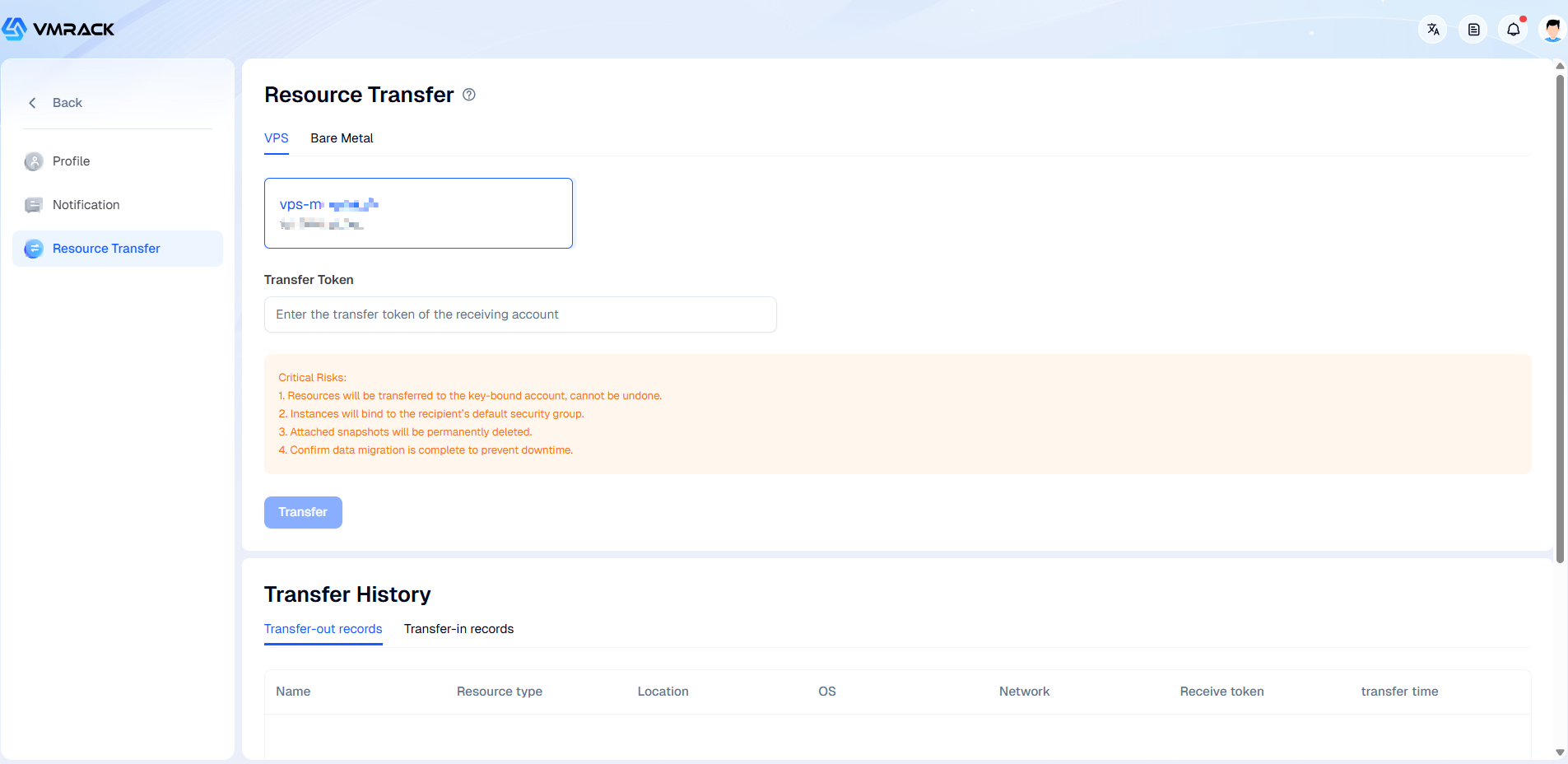
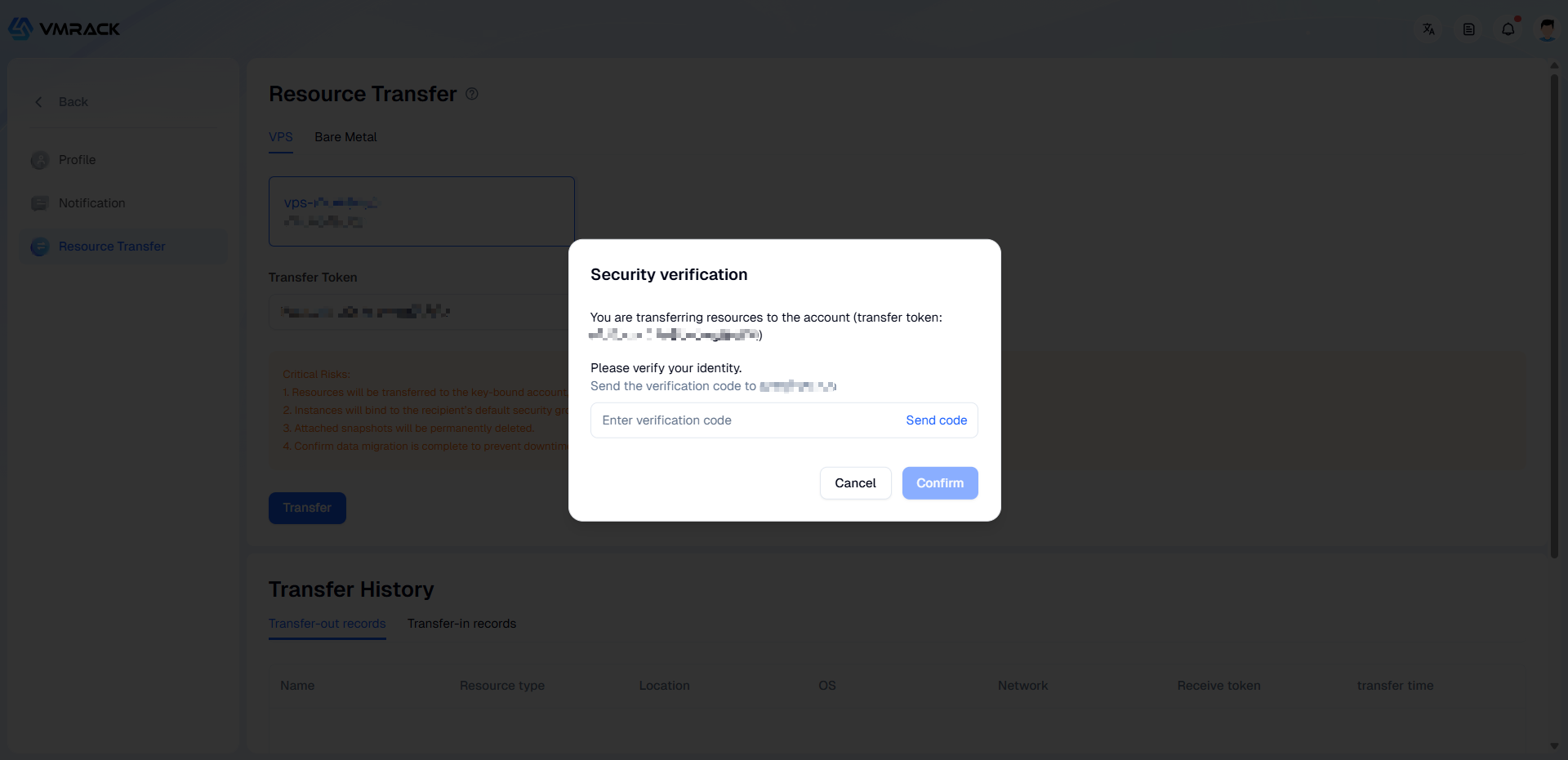
3. Enter the recipient account's Transfer Token, click Transfer, and complete the email security verification to finalize the resource transfer.
Risk Notice
Please be fully aware of and understand the following risks:
Operation is Irreversible: Once the transfer is successful, ownership of the resource will immediately belong to the recipient's account. This process cannot be undone or reversed.
Network & Security Policy Reset: After the transfer is complete, the instance will be automatically unbound from your current firewall (security group) and bound to the recipient account's default security group. Network access policies may change as a result.
Associated Data Deletion: All snapshots associated with this instance will be automatically and permanently deleted. Please back up any snapshot data you wish to keep before initiating the transfer.
Service Continuity: The transfer may involve configuration changes such as a change of the original IP address (if applicable). Please coordinate thoroughly with the recipient and plan your service migration and handover in advance to avoid service disruption.
- Products
- VPS Hosting
- VPS HostingUnmetered
- Bare Metal
- GPU Rental
- CDNPublic Beta
- Custom CDN
- Object StoragePublic Beta
- TranscoderPublic Beta