
Preset Management
Transcoder supports presets for functions like Normal Transcoding, Video Splicing, Snapshot, and Watermark. Each function has corresponding detailed parameter configurations. You can preset general processing parameters through Preset Management for easy reuse.
Prerequisites
Log in to the Transcoder Console, and click Preset Management in the left menu bar to enter the Preset List.
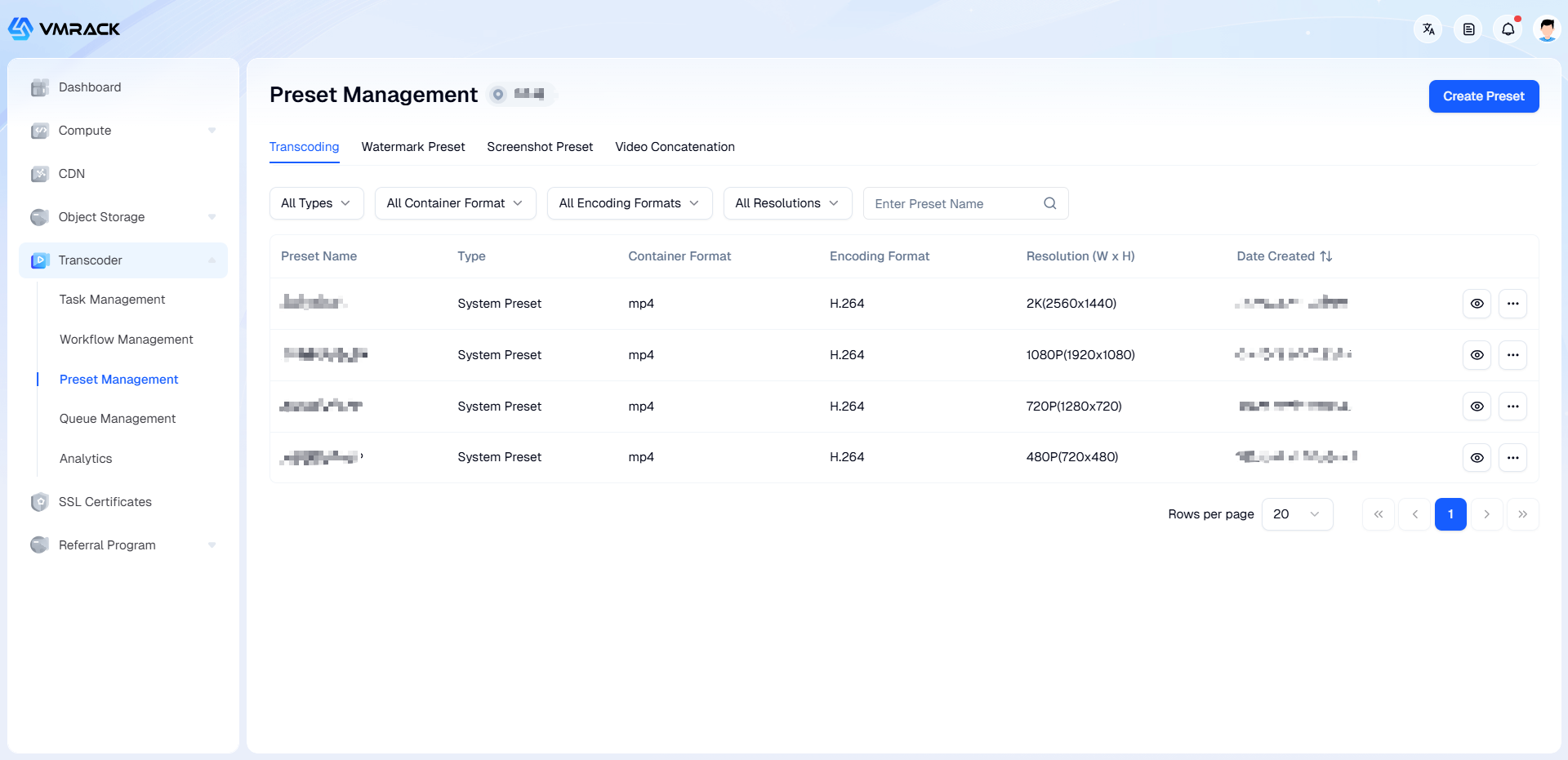
Transcoding Preset
In the Preset Management - Transcoding Preset List, click Create Preset to enter the configuration page.
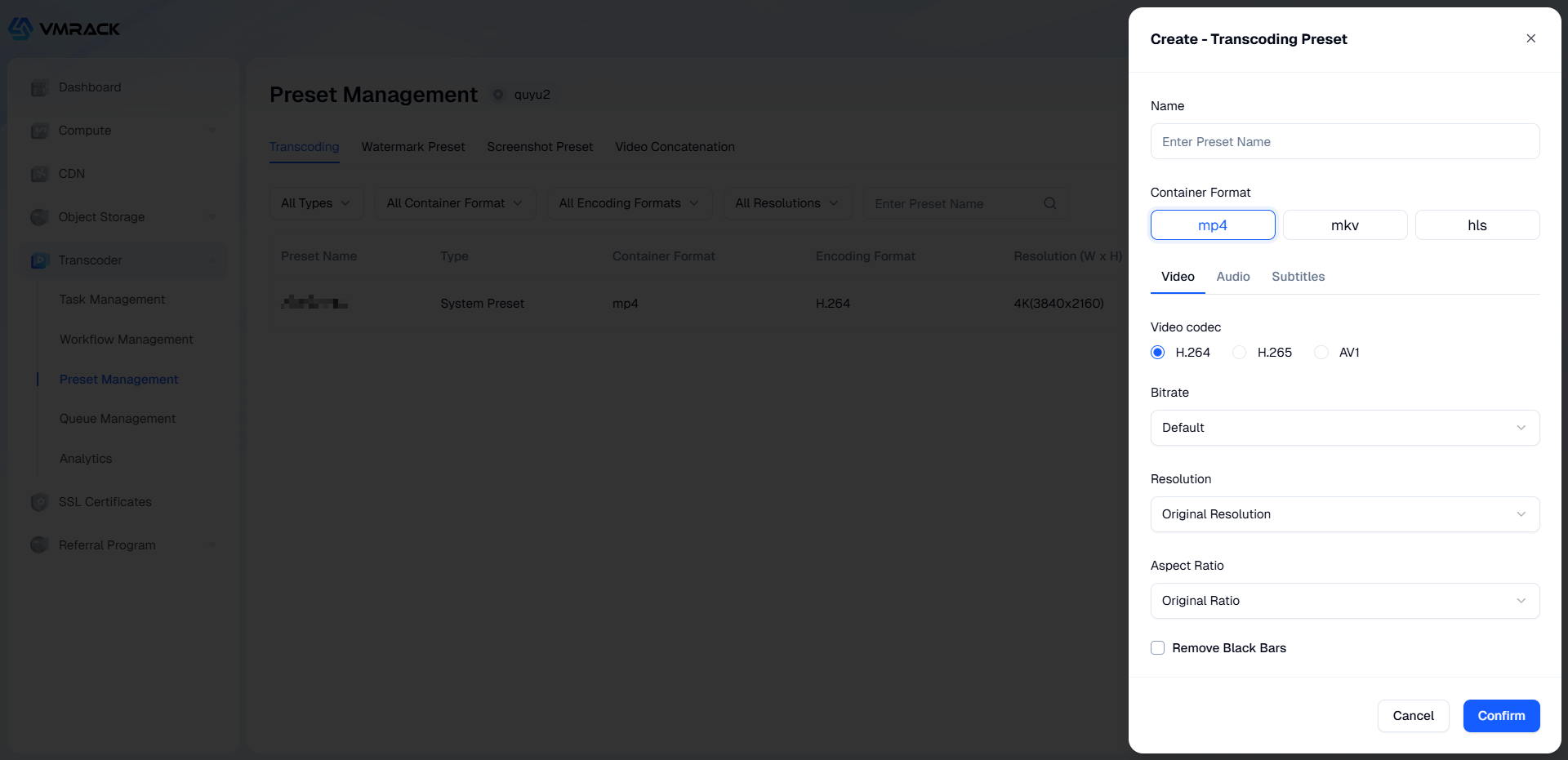
Set parameters:
Basic parameters:
Parameter | Description |
Container Format | Supports MP4, FLV, HLS. |
Video parameters:
Parameter | Description | |
Video Codec | Supports AV1, H.264, H.265. | |
Bitrate | Supports the following three bitrate control modes: | ]]></ac:plain-text-body></ac:structured-macro> |
Resolution | Supports two modes: | ]]></ac:plain-text-body></ac:structured-macro> |
Aspect Ratio | Effective when resolution is "Custom", and the video aspect ratio differs from the source video. Supports two modes: | ]]></ac:plain-text-body></ac:structured-macro> |
Video Scaling | When the resolution selected by the user is non-original, the parameters can be configured. Supports two modes: | |
Remove Black Borders | Cannot be used when "Pad Black Borders" is selected. | |
Frame Rate | Number of frames displayed per second. Unit: Hertz (Hz). | ]]></ac:plain-text-body></ac:structured-macro> |
<ac:structured-macro ac:name="unmigrated-wiki-markup" ac:schema-version="1" ac:macro-id="eb91120b-6b66-43dc-ac1a-53ad03c8009c"><ac:plain-text-body><![CDATA[ | Keyframe | Also known as the video keyframe interval. Value range [0, 3000] (integer). |
Segment Clip | If only a part of the source file is needed, you can choose to complete it by segment clipping. Specifies the Start Time and Clip Length. | |
Segment Duration | When the container format is HLS, the duration of slice files. Default is 10s if not set. |
Audio Parameters:
Parameter | Description |
Disable Audio | Default is not enabled. When enabled, the audio stream will be removed from the transcoded video. |
Codec | Supports Original Codec, MP3, AAC, AAC_HE. |
Channels | Number of audio channels. Unit: Integer value. Supports two modes: |
Audio Bitrate | Supports two modes: |
Sample Rate | Audio sampling frequency. Supports two modes: |
Subtitle Parameters:
Parameter | Description |
Disable Subtitles | Default is not enabled. When enabled, video subtitles (hard-coded subtitles in the video stream) will be removed. |
Add Subtitles | Supports adding: ssa, srt, ass type subtitles (utf-8 encoding and utf-8 BOM encoding). |
Watermark Preset
In the Preset Management - Watermark Preset List, click Create Preset to enter the configuration page.
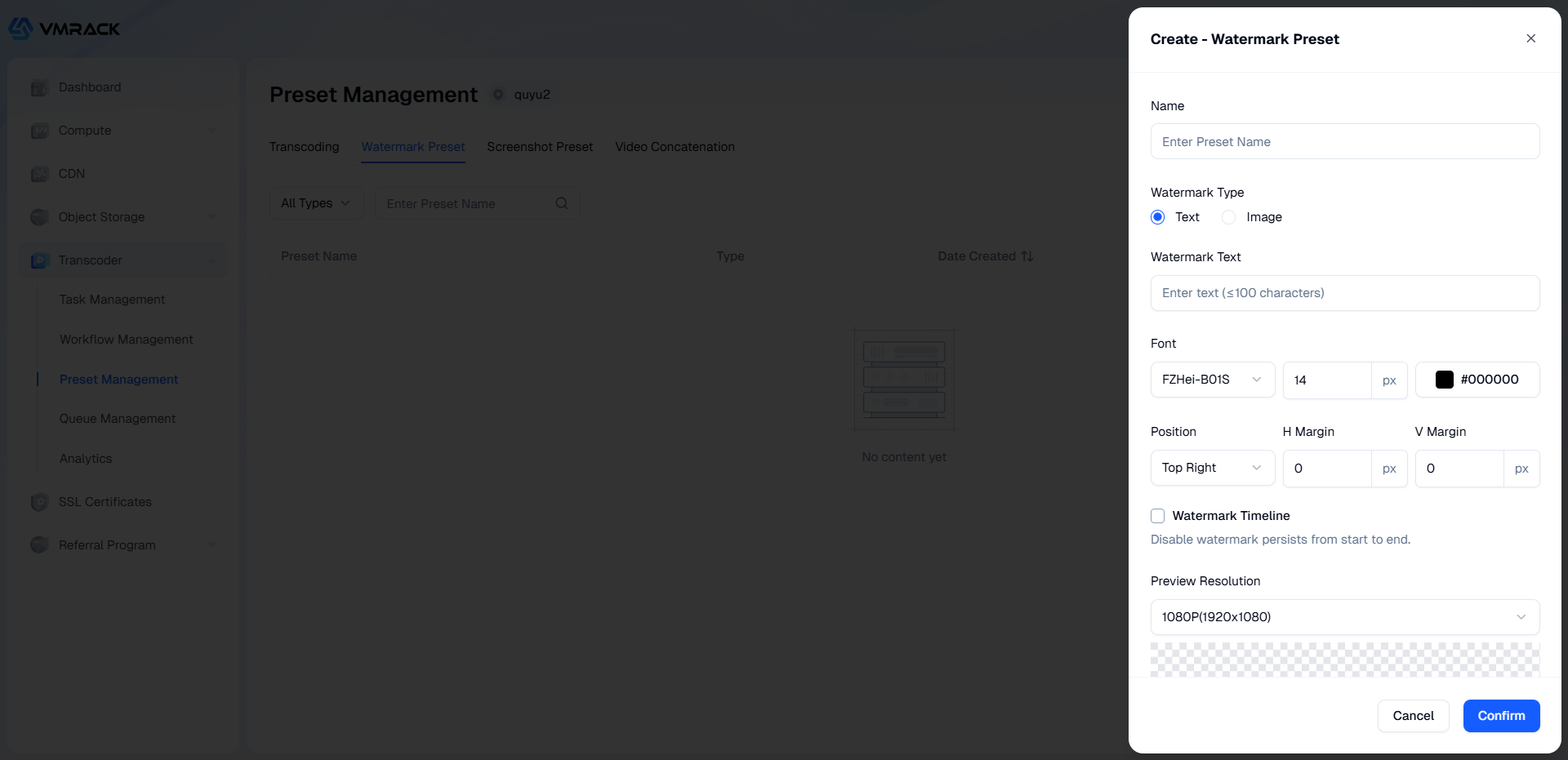
Configure Parameters:
Parameter | Description |
Watermark Type | Supports two types: Image Watermark, Text Watermark. |
Image Watermark | Supports: png, jpg, bmp, gif, apng formats. Within 5MB. |
Adaptive Scaling | Specifies the ratio of the watermark image's short side to the input video's short side. Value is (0, 1]. Number supports three decimal places. |
Text Watermark | Supports setting Font, Font Size, Font Color attributes. |
Watermark Position | Relative position of the watermark in the video screen, default is Top Right. |
Horizontal Margin | Sets the relative horizontal offset of the watermark position. Positive indicates rightward, negative indicates leftward. |
Vertical Margin | Sets the relative vertical offset of the watermark position. Positive indicates downward, negative indicates upward. |
Watermark Timeline | Default is closed, watermark lasts from start to end. |
From Header | Watermark starts from the video header. |
From Tail (Reverse) | Watermark uses the video tail as the starting point. |
Snapshot Preset
In the Preset Management - Snapshot Preset List, click Create Preset to enter the configuration page.
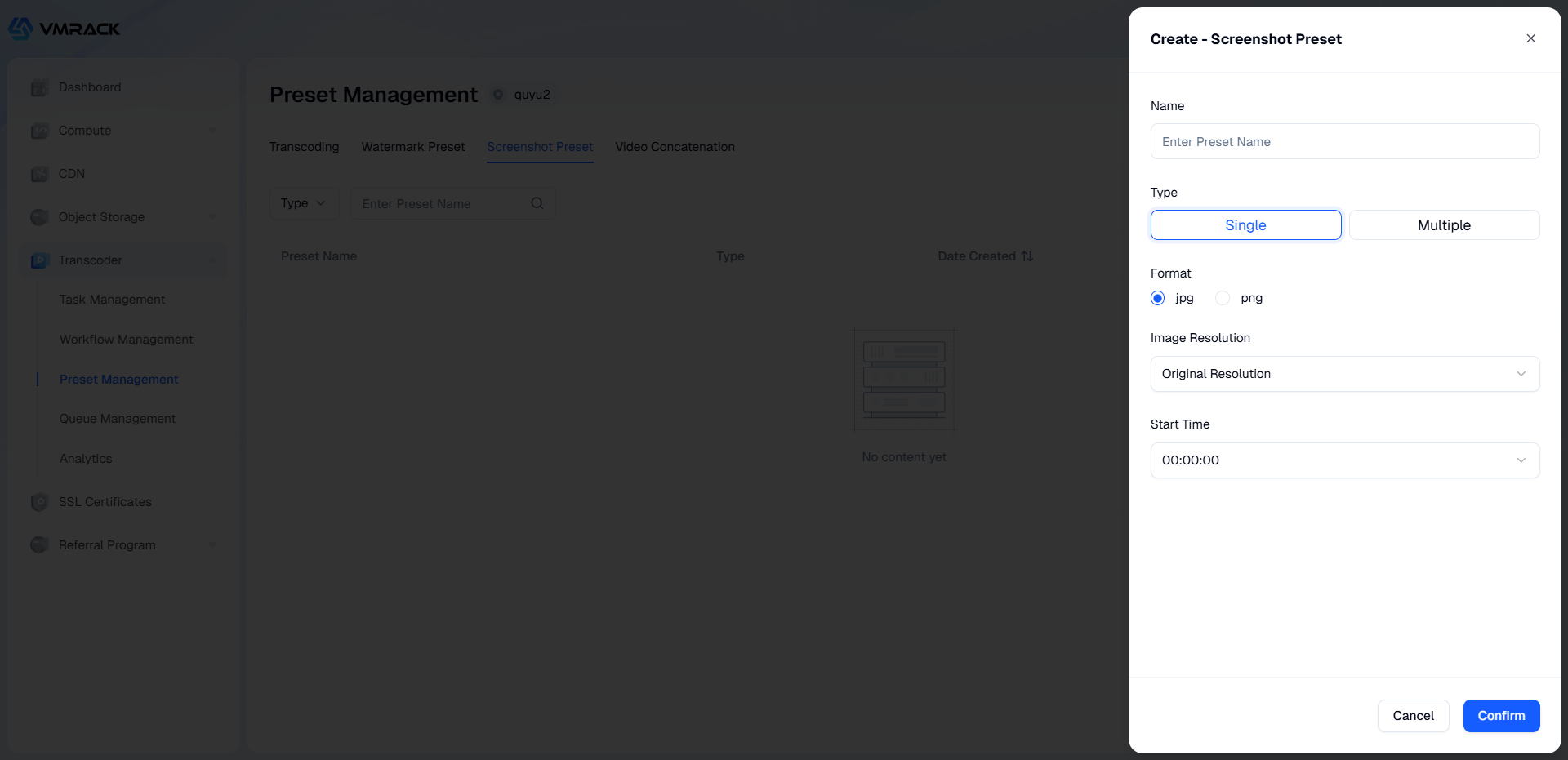
Configure Parameters:
Parameter | Description | |
Preset | A template for processing parameters, which can be used to simplify operations. | |
Type | Supports two types: Single Snapshot, Multi-Snapshot. | |
Format | Output target snapshot format. Supports JPG, PNG. | |
Image Resolution | Supports two modes: | ]]></ac:plain-text-body></ac:structured-macro> |
Start Time | Specifies the timestamp to start capturing the video. Unit: Seconds. | |
End Time | Specifies the timestamp to end capturing the video. Unit: Seconds. | |
Interval | Default value is 5 seconds. Specifies sampling snapshot interval. Unit: Seconds. |
Video Splicing Preset
In the Preset Management - Video Splicing Preset List, click Create Preset to enter the configuration page.
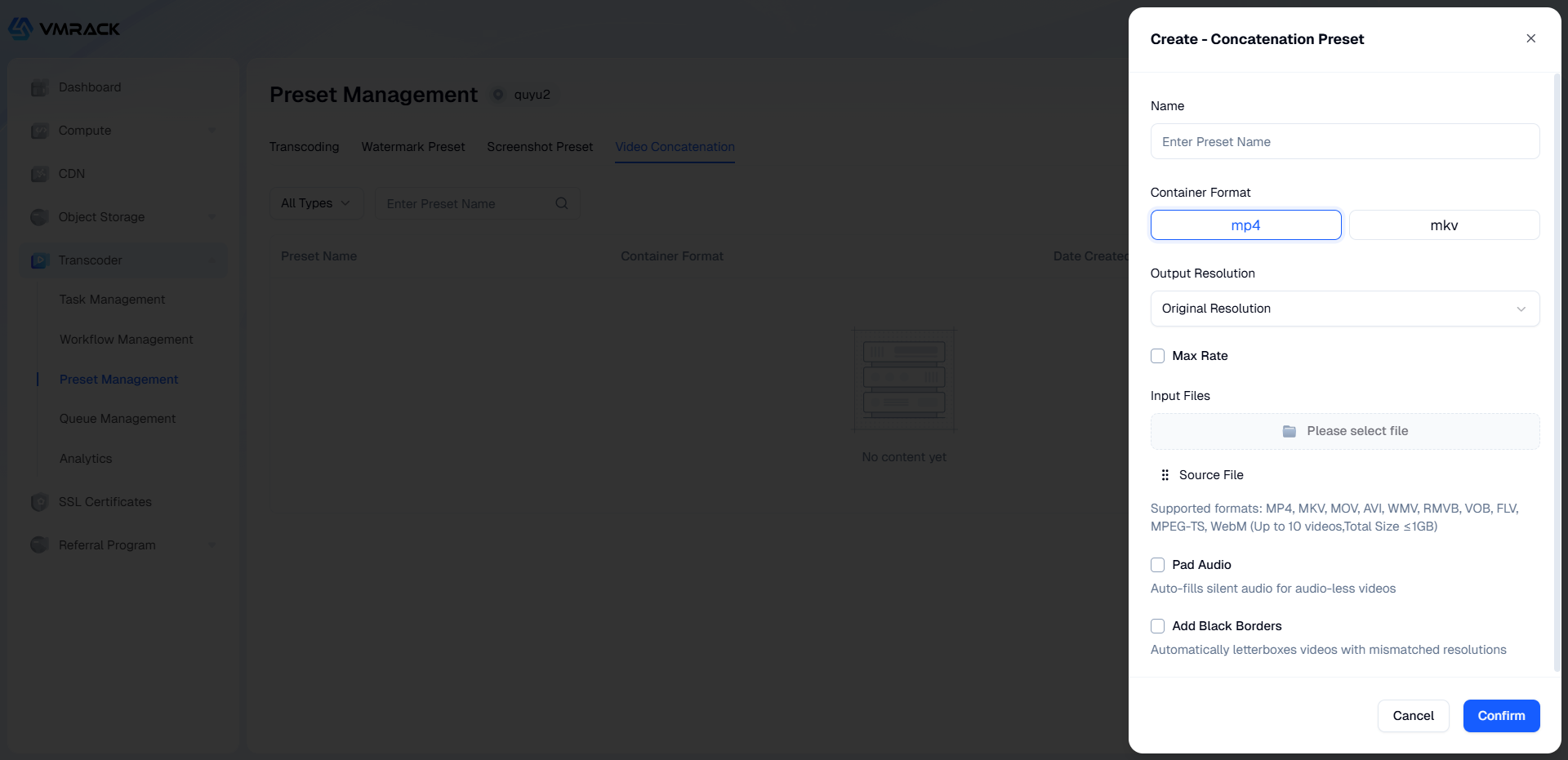
Configure Parameters:
Parameter | Description | |
Preset | A template for processing parameters, which can be used to simplify operations. | |
Container Format | Supports MP4, MKV. | |
Output Resolution | Supports two modes: | ]]></ac:plain-text-body></ac:structured-macro> |
Peak Bitrate | Limits the peak bitrate of the output video stream. Unit: kilobits per second (kbit/s). Bitrate limit size is \[10, 10000\] (integer). | |
Splicing File | Supports: MP4, MKV, MOV, AVI, WMV, RMVB, VOB, FLV, MPEG-TS, WebM format files. Video count does not exceed 10, total size within 1GB. | |
Audio Padding | When enabled, fills silence/audio into video files that lack an audio track during splicing. | |
Auto Padding | When video file resolutions are inconsistent, automatically adds black borders to the video for proportional scaling. |
- Products
- VPS Hosting
- VPS HostingUnmetered
- Bare Metal
- GPU Rental
- CDNPublic Beta
- Custom CDN
- Object StoragePublic Beta
- TranscoderPublic Beta