How to Check Whether a Cloud Server Has a Native IP?
What Makes an IP Native
To determine whether a cloud server has a native IP, the core check is to compare the IP's registered location with the server's physical location: if the two match, the address is native; if the address block is registered in another country or region and then announced via BGP at the current data center, it is a broadcast address.
IP addresses are allocated by regional internet registries, such as ARIN in North America, RIPE NCC in Europe and APNIC in Asia-Pacific. An operator that uses address blocks registered to itself at a local data center is using native addresses; announcing another region’s address blocks from a local data center is broadcasting.
Broadcast addresses can still be used, but they behave differently from native ones. Some risk-control systems and streaming platforms judge location by the registered country, which can lead to misidentification, and cross-region announcement may cause detours that add a little latency.
One more distinction: native does not mean residential. Native means the registered location matches the place of use, while a residential IP is one that belongs to a home broadband connection. Most cloud servers are still assigned data-center addresses.
Four Steps to Check IP Ownership
A complete native IP lookup takes four steps, and every step can be done directly on the server. The commands below apply to Linux systems; replace “server IP” with the actual address.
1. Check basic information: run curl ipinfo.io. In the output, country is the country code, city is the city the IP belongs to, and org contains the ASN and the operator name, which together give a first indication.
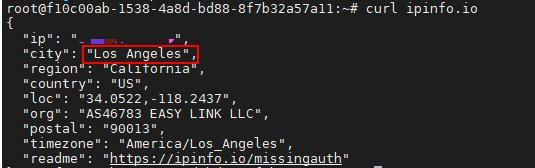
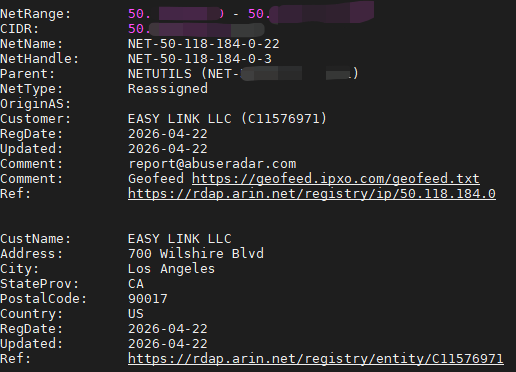
2. Query Whois registration data: run sudo apt-get install whois to install the whois tool, then run whois <server IP> and focus on the country, netname and OrgName fields. If the registered country differs from the country where the data center is located, the address block is very likely a broadcast block.
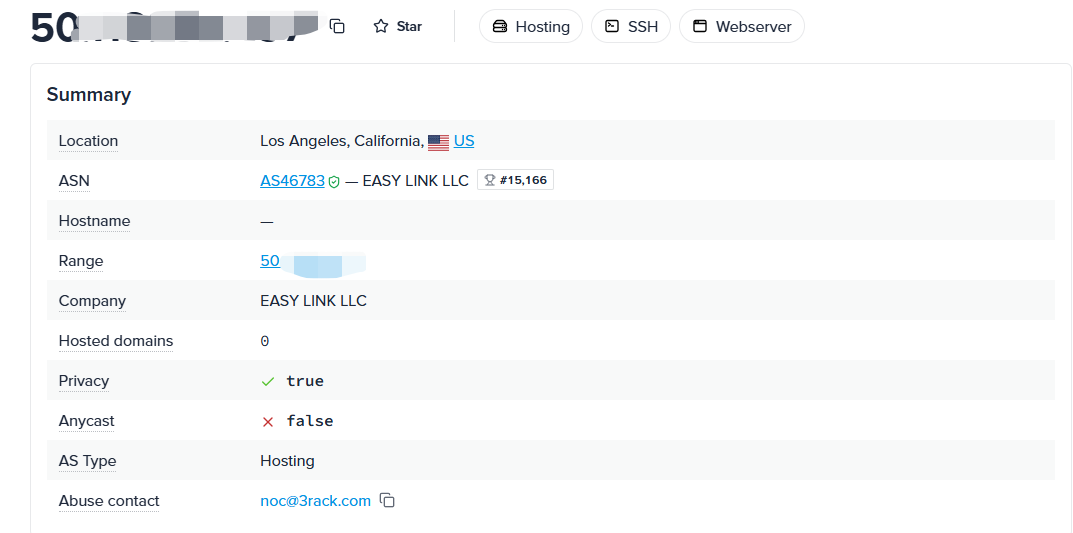
3. Verify the ASN and address block: enter the server IP into an ASN lookup tool to see which ASN announces the block, along with that ASN’s registered country and upstream carriers. If the announcing party and the data center operator are the same, the conclusion is more reliable.
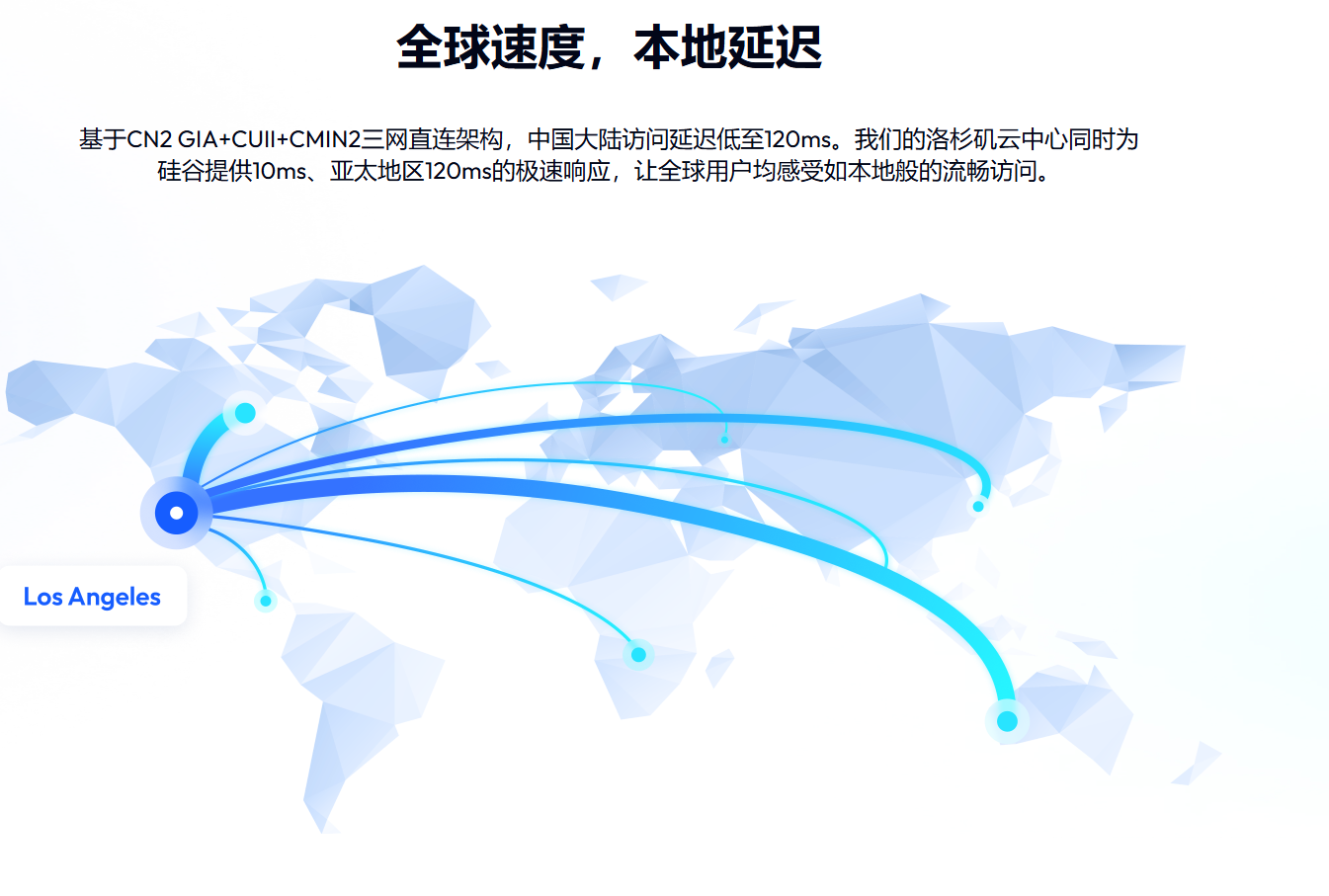
4. Verify the actual location with latency: test the round-trip latency to nodes in the same city. For a Los Angeles data center, latency to West Coast nodes is usually low; if latency is unusually high and the route clearly detours through another region, investigate further.
For example, if Whois shows the country as US, the block is announced by a US operator, and latency to local nodes is very low, the address matches the Los Angeles data center location; if the country shows another region while the server is actually in Los Angeles, it can basically be judged a broadcast address.
The four steps must be judged together, because looking at any single item can be misleading. Only when the Whois, ASN, multi-database and latency results all agree can the address be considered native.
Common Pitfalls in Detection Results
IP databases update at different frequencies, so newly activated address blocks often show outdated location data. Compare several sources such as IPinfo, MaxMind and ip-api, go with the result that most of them agree on, and do not rely on a single website.
If the Whois and ASN results both show the correct ownership and only a few databases show a wrong location, you can submit a correction request to those databases. Most of them offer a feedback channel, and the location data will gradually update after the request is processed.
If multiple results show that the address is a broadcast IP, decide whether to keep using it based on your business needs. For scenarios that are not sensitive to location recognition, such as website access and development testing, the impact is usually limited; for streaming, payment risk control and ad delivery, it is advisable to replace the address block before going live.
Before purchasing, confirm the source and type of the address block with the provider, and re-check it with the methods above when the trial starts or the instance is first provisioned. Announcement relationships of address blocks may change with operations, so long-running workloads can also be re-checked periodically.
VMRack, backed by its self-built Los Angeles data center, provides US VPS, and every VPS product in the lineup uses a native IP. After you get an instance, you can follow the steps above to verify IP ownership and latency yourself. If the results do not match expectations, you can contact VMRack technical support for help verifying.
Summary
Checking for a native IP comes down to three things: verify the registered ownership through Whois and ASN data, compare the location data of multiple IP databases, and confirm the actual deployment location through latency and routing. Together, these results let you judge a cloud server’s address type accurately and avoid addresses whose registered location differs from where they are used when choosing a server.


- Products
- VPS Hosting
- VPS HostingUnmetered
- Bare Metal
- GPU Rental
- CDNPublic Beta
- Custom CDN
- Object StoragePublic Beta
- TranscoderPublic Beta