How to quickly resolve VPS ping issues
One day, the VPS you just bought suddenly stops responding when you try to open it. When you type ping in your local terminal command line, lines of "Request timed out" display on the screen. Naturally, you might wonder: Has the server crashed? Is the data still safe?
In fact, when a VPS cannot be pinged, it doesn't necessarily mean there is a major issue with the server. More often than not, it is simply a matter of network policies or routing lines. As long as you follow the right troubleshooting logic, you can usually locate and resolve the issue quickly. Drawing from practical O&M experience, this article will discuss how to troubleshoot this situation step by step.
Common Causes of Why a VPS Cannot Be Pinged
First, it is crucial to clarify one point: a failed ping does not equate to a server crash. Ping utilizes the ICMP protocol, and many cloud providers block ICMP requests by default in their firewalls or security groups for security reasons. In this scenario, even if the server is running perfectly and the website is fully accessible, the ping shows timeout. This is the most common and easily misjudged situation.
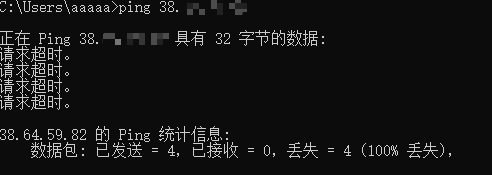
Second, the issue could stem from the local network or the ISP's routing lines. If your local network environment has routing anomalies to the target IP—such as congestion on the ISP's international egress lines or a lack of optimization for the three major Chinese carriers in the target data center—ping requests can be lost mid-transit. In this case, you can try changing your network environment (e.g., switching from a corporate network to a mobile hotspot) or using online ping tools from different regions to compare results and determine whether the issue lies locally or on the server side.
Another possibility is that the server is indeed experiencing an anomaly, such as a system crash, network interface failure, or a DDoS attack that has triggered the protection system to temporarily block external responses. This situation is typically accompanied by the inability to access the website or application simultaneously. You will need to log into the provider's management panel to check the server status or contact technical support for assistance.
Solutions for When a VPS Cannot Be Pinged
When encountering a scenario where a ping fails, it is recommended to troubleshoot step-by-step from "near to far," rather than immediately suspecting a server failure.
Step 1: Confirm whether your local network is functioning normally by pinging a known stable address (such as 8.8.8.8). If even this fails, the issue lies within your local network, not the VPS itself. Step 2: Remotely log into the server via the management panel or VNC to see if it still responds to operations normally. If the panel shows the server status as normal and you can log in remotely, you can basically rule out a server crash; the issue is highly likely at the network policy or routing line level. Step 3: Check the server's own firewall rules. For instance, under a Linux system, use iptables -L or firewall-cmd --list-all to check if there are rules blocking ICMP. For Windows servers, you need to check the inbound rules in "Windows Defender Firewall with Advanced Security." In many cases, once the inbound rule for ICMP is enabled, the ping will return to normal immediately.
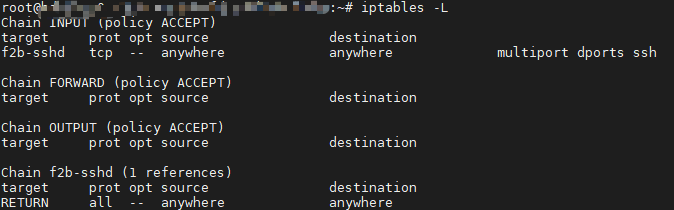
Addressing the common causes mentioned above, the solutions for when a VPS cannot be pinged are not actually complicated. The core approach is layered troubleshooting and targeted remedies. If it is confirmed that the firewall is blocking ICMP, simply allow the corresponding rule in the system or security group. If it is a local network or ISP line issue, you can try changing test nodes, switching network environments, or directly contacting your local ISP to report the line anomaly. If it is a failure at the server or virtualization level, you will need to rely on the provider's technical support for deeper troubleshooting and remediation regarding underlying network configurations, virtual machine NIC status, and other aspects.
In practical handling, it is recommended to record the results of each troubleshooting step, such as whether other public IP addresses can be pinged, screenshots of firewall rules, and the status displayed on the server panel. This way, even if you ultimately need to contact technical support, you can provide more complete information to help them locate the problem faster, reducing the time cost of back-and-forth communication.
Choosing a Stable Line to Reduce Connection Issues from the Source
After troubleshooting the local network and server status, there is another scenario worth mentioning separately: pinging is intermittent, and latency fluctuates wildly, getting noticeably worse during peak evening hours. This situation is often related to the quality of the line itself rather than a single isolated fault. The international egress line quality of China's three major ISPs varies widely. If the data center where the server is located only optimizes a single line, or relies entirely on ordinary international BGP lines, users of a certain network carrier may easily experience circuitous routing and increased packet loss when accessing it, which manifests as an unstable ping.
Premium routing lines for the three major carriers are precisely the solution created to address this issue. It typically consists of a combination of three lines: CN2 GIA, AS9929, and CMIN2. It optimizes the access paths for China Telecom, China Unicom, and China Mobile users respectively, allowing users of different ISPs to take a relatively short and stable return path. This reduces packet loss and latency fluctuations, which is why many users engaged in businesses like remote office work, live streaming, and game acceleration pay special attention to whether the premium routing for the three major carriers is supported when purchasing a VPS.
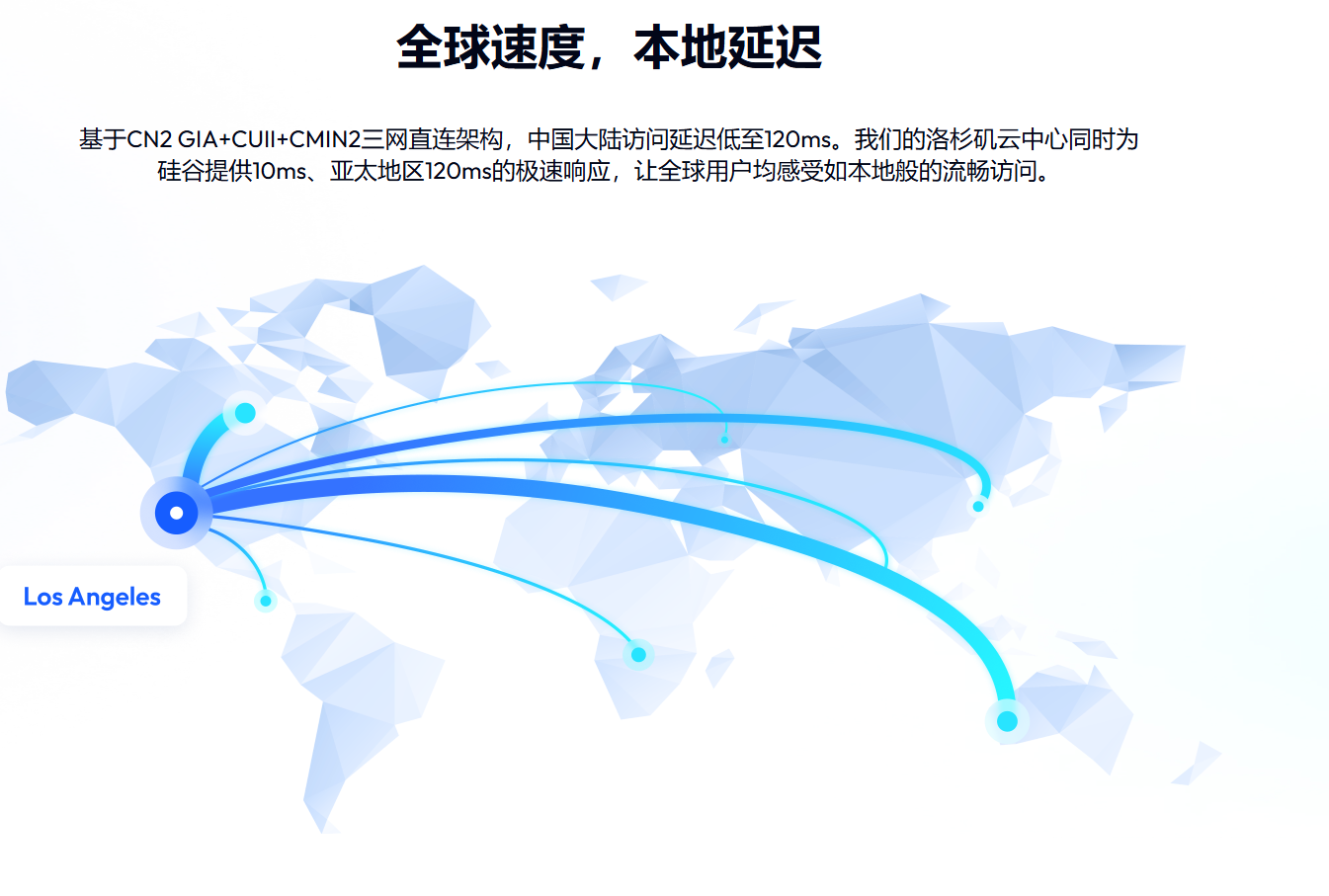
Taking VMRack as an example, relying on its self-built data center in Los Angeles, its flagship Premium Routing VPS features a top-tier combination of CN2 GIA + AS9929 + CMIN2 across all three major carriers. Evening peak stability and low latency are its core advantages, which can effectively alleviate ping instability caused by line quality. At the same time, the data center is equipped with over 200Gbps of free defense support, allowing for faster recovery when connection anomalies occur due to attacks, fundamentally reducing many connection failures caused by inadequate lines and protection from the source.
Summary
In general, there is no need to panic when encountering a situation where your VPS cannot be pinged. Most of the time, you can step-by-step locate the problem from near to far—starting from the local network, server status, and firewall rules—and then solve it with targeted actions. We hope this article helps you find the right direction faster when facing similar issues, reducing unnecessary troubleshooting time.


- Products
- VPS Hosting
- VPS HostingUnmetered
- Bare Metal
- GPU Rental
- CDNPublic Beta
- Custom CDN
- Object StoragePublic Beta
- TranscoderPublic Beta