A Roundup of SSH Remote Server Connection Tools
Just purchased a high-performance overseas VPS, or preparing to deploy a set of high-concurrency cloud applications? Faced with an empty command-line interface, how do you take the first step in managing your server? The answer is establishing a connection via the Secure Shell (SSH) protocol. Choosing a handy SSH remote server connection tool not only drastically improves daily O&M (Operations and Maintenance) efficiency but also provides stable operational security when facing complex computing tasks. Today, based on actual O&M scenarios, we will review several of the most popular connection tools on the market to help you easily manage your premium computing resources.
Minimalism and Classic: PuTTY
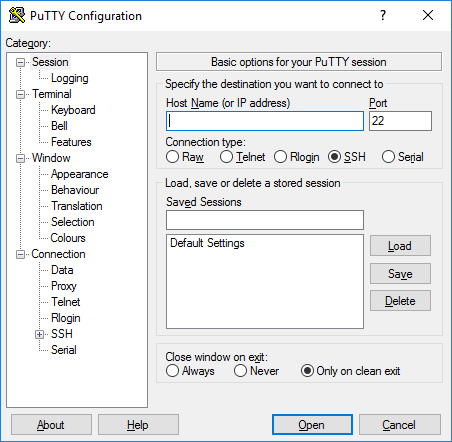
For beginners just getting into server O&M, finding a client that is compact, installation-free, and pure in its core functions is the top priority, and PuTTY is precisely the classic representative in this field.
After you rent an overseas VPS, you need a client that responds quickly and seamlessly connects to the network, and PuTTY fits this scenario perfectly. To use it, you simply double-click to open the program, fill in the server's public IP address in the "Host Name" input box, keep the port default at 22 (depending on your security configuration), select SSH for the connection type, and click "Open." It contains no flashy advertisements, and its pure black-and-white interface allows you to fully immerse yourself in configuration optimization.
Many users might encounter garbled characters or connection timeout issues when trying putty remote ssh connections for the first time. The key to fixing garbled text is to go to the "Window -> Translation" option in the PuTTY configuration interface and manually change the encoding to "UTF-8"; as for timeout disconnections, you can set "Seconds between keepalives" to 60 seconds under "Connection." With these simple optimizations, paired with the intelligent monitoring of high-quality data centers, your remote management process will become both secure and smooth.
All-in-One and Multi-Tab: Xshell and MobaXterm
When the number of cloud servers you manage grows from one to a dozen or more, multi-tab management and file transfer functions become the core criteria for measuring the quality of connection software.
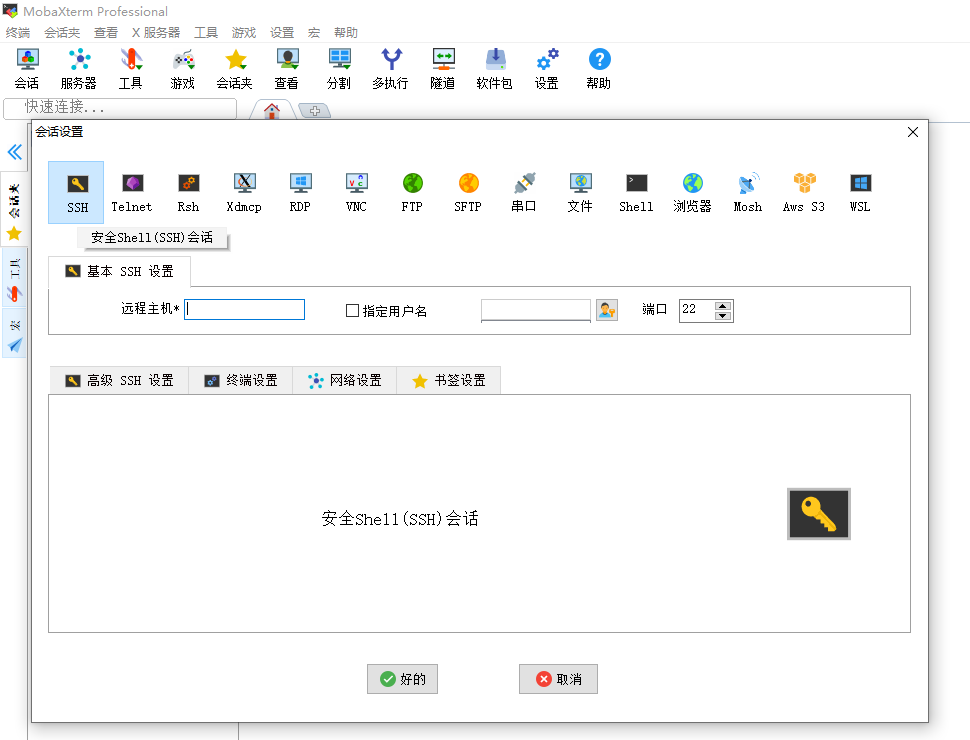
In this domain, Xshell and MobaXterm are undoubtedly the veteran giants of the industry, as well as indispensable ssh remote tools in the hands of senior O&M professionals. Xshell boasts extremely user-friendly tab management functionality, allowing you to categorize different routes and international BGP servers by region or business type in the sidebar. Its powerful "Advanced Session Properties" support shortcut key macro commands, enabling you to send the same upgrade command to all open server windows with a single click—a true lifesaver when managing clusters.
On the other hand, MobaXterm is more like a "Swiss Army Knife." It not only supports embedded X11 forwarding (allowing you to run graphical software from the server directly on your local machine) but also comes with a built-in SFTP file transfer sidebar. This means that when you upload code files to cloud storage or bare-metal servers, you don't need to open an additional FileZilla client; you can complete the transfer by simply dragging and dropping on the left side. These two tools immensely unleash productivity, allowing tech professionals to handle comprehensive network solutions with complex multiple network interfaces (such as multiple IPv4s, internal IPs) with ease.
Modern and Cross-Platform: Tabby
With the surge in cross-platform development demands, cross-platform connection software that combines high aesthetic appeal, full-platform support, and adaptation to modern network protocols is gradually becoming the new darling of the market.
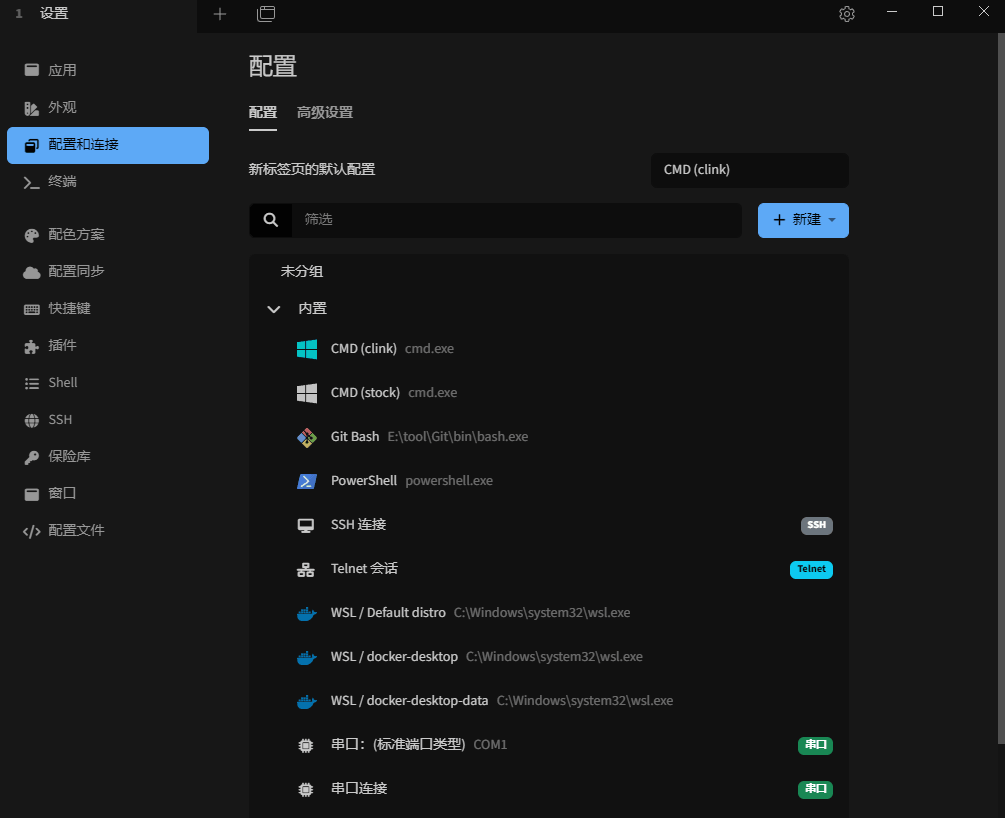
Tabby is just such a star open-source tool developed based on Electron. Not only does it have a modern look and support a rich variety of skin themes, but more importantly, it supports perfect cloud synchronization features. You can encrypt and sync all your connection configurations to the cloud, allowing you to enter your workflow within seconds whether you are using an iMac at the office or a Windows laptop at home. For users requiring high business flexibility, Tabby's perfect adaptation to multiple IPv4, IPv6, and complex internal IP environments makes it the go-to choice when building complex virtualized environments.
In addition to third-party tools, in recent years, Windows Terminal and the native Terminal on Mac have become increasingly powerful thanks to the popularization of OpenSSH. You no longer need to install any software and can connect to remote servers in seconds by entering commands directly locally. Relying on the service provider's rich industry experience and full-process automation technology, complete SSH credentials will be generated instantly after the server is provisioned, delivering a smooth experience comparable to independent dedicated servers, whether through modern Tabby or the native command line.
Summary
In summary, whether it is PuTTY pursuing ultimate lightweight design, Xshell and MobaXterm supporting efficient multi-session management, or Tabby featuring both great aesthetics and cross-platform capabilities, choosing the SSH remote server connection tool that best suits your business scenario is the core to improving work efficiency. Combined with the top-tier computing power output and premium optimized return routes provided by VMRack's self-built data center in Los Angeles, configuring a handy client will give you a major boost in your O&M experience, achieving the optimal balance between cost and performance, and helping your enterprise's overseas business sail smoothly and securely.

- Products
- VPS Hosting
- VPS HostingUnmetered
- Bare Metal
- GPU Rental
- CDNPublic Beta
- Custom CDN
- Object StoragePublic Beta
- TranscoderPublic Beta