What Are the Common SSH Connection Methods?
SSH connection is the most common way to manage a Linux server. The usual approaches fall into four groups: the built-in command line, graphical clients, key-based passwordless login and jump host forwarding. They differ in difficulty, security and use cases, as explained below.
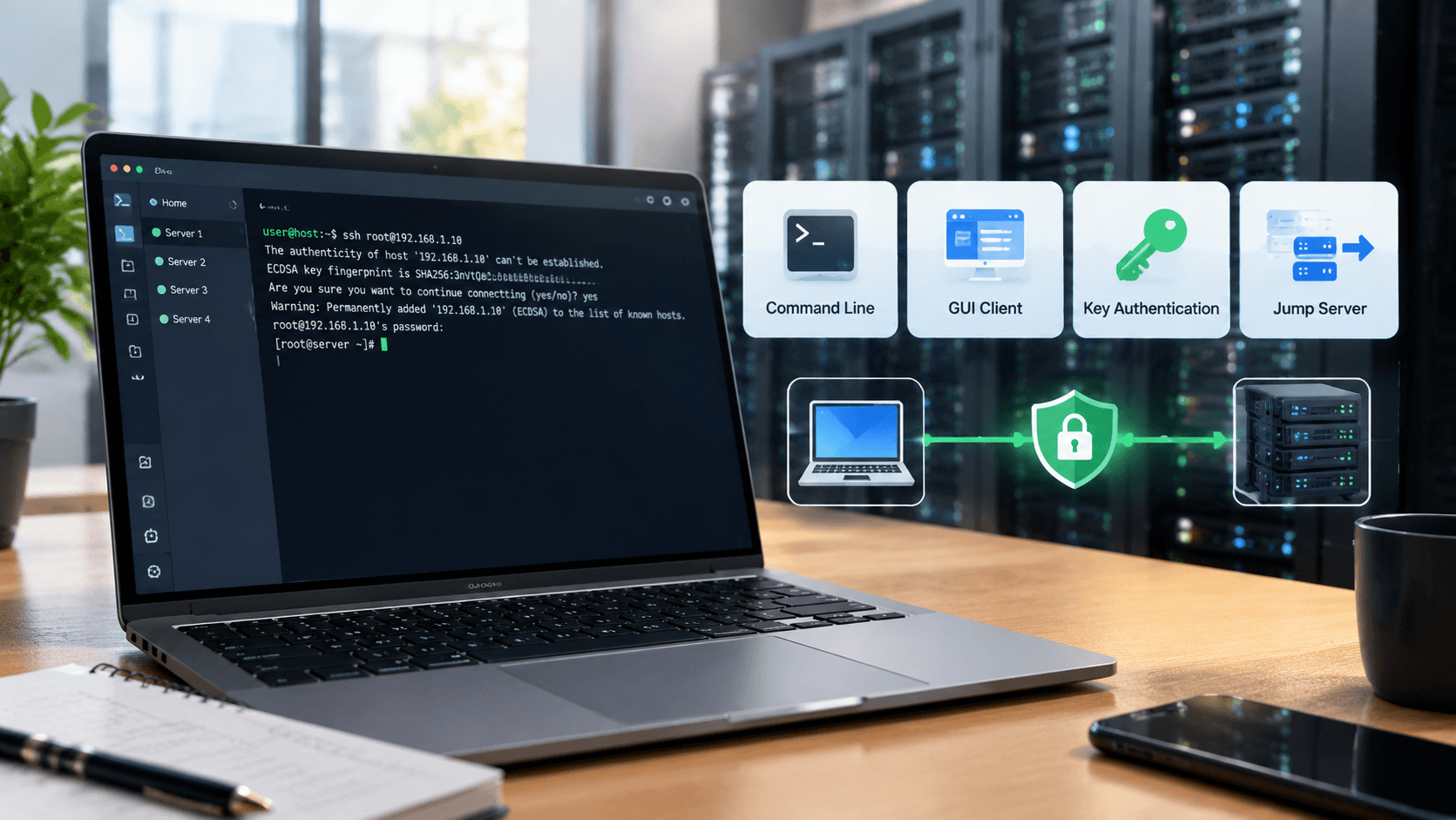
Command-Line Client Method
Linux, macOS and recent versions of Windows 10 and Windows 11 all include an OpenSSH client, so no extra software is needed. Open a terminal or PowerShell to start an SSH remote connection. The basic command format is:
ssh root@server-IP -p 22On first login you will be asked to confirm the server fingerprint; type yes, then enter your password. If the server uses a non-default port, specify the actual port with the -p option, since the default is usually port 22.
If you log in to many servers often, configure an alias, IP, port and username for each host in ~/.ssh/config. Afterwards you only need to type ssh followed by the alias to log in, which saves repeated typing.
If PowerShell cannot find the ssh command, add the OpenSSH Client under Settings > Apps > Optional features. This method needs no third-party software and suits occasional logins or running remote commands in batch scripts.
Graphical Client Method
If you prefer not to use the command line, choose one of the graphical SSH tools, which usually offer session management, file transfer and multiple tabs. Common ones are:
• PuTTY: free and open source, small in size, suited to basic logins on Windows, with a simple interface.
• Xshell: feature-rich, supports session management and scripting; free licenses are available for home and school users.
• MobaXterm: combines a terminal with an SFTP file browser, so you can drag and drop to upload and download files.
• FinalShell: Chinese-language interface with built-in server resource monitoring and file management.
• Termius: runs on Windows, macOS, Linux and mobile devices, which suits multi-device use.
The advantage of graphical clients is that they save login details, open several sessions at once and provide visual file management, which is friendlier if you maintain many servers long term. Keep saved passwords and keys safe, and do not leave login information on public computers.
Choose based on your operating system, whether you need file transfer, and whether you want to log in temporarily from a phone.
Key Authentication and Advanced Methods
Password login is vulnerable to brute-force attacks, so key authentication is recommended in production. Run ssh-keygen -t ed25519 locally to generate a key pair, then run ssh-copy-id root@server-IP to upload the public key, after which you can use passwordless login.
Once key login works, set PasswordAuthentication to no in /etc/ssh/sshd_config and restart the SSH service (sshd on Rocky and CentOS, ssh on Ubuntu and Debian). Keep one logged-in session open before changing this, so a misconfiguration does not lock you out.
When a server sits on a private network, you can log in through a jump host. To reach a private port, use the -L option for port forwarding:
ssh -J user@jump-host-IP user@private-IPssh -L local-port:target-address:target-port user@server-IPA jump host reduces the risk of exposing servers directly to the public internet, since only the jump host’s login port needs to be open. Changing the default port, restricting allowed IPs or enabling fail2ban can further lower the chance of scanning attacks.
On VMRack’s Los Angeles VPS, all the methods above can be used directly, and the system supports mainstream Linux distributions such as CentOS, Rocky, Ubuntu and Debian. The premium triple-network routes (CN2 GIA, AS9929, CMIN2) keep latency steadier during evening peak hours, so terminal input feels smoother.
Summary
Common SSH connection methods can be summarized as follows: the command line suits quick logins, graphical clients suit day-to-day management of multiple servers, and key authentication with jump hosts covers security and private-network access. In practice, enable key login first, then pick tools as needed; choosing a server with stable routes also noticeably improves the experience.


- Products
- VPS Hosting
- VPS HostingUnmetered
- Bare Metal
- GPU Rental
- CDNPublic Beta
- Custom CDN
- Object StoragePublic Beta
- TranscoderPublic Beta