GIA CN2 VPS Server Basic Environment Configuration and System Acceleration Tutorial
When you are choosing a web hosting service, pursuing ultimate access speed and stability is undoubtedly the core requirement. Many webmasters and enterprises often find that when deploying overseas businesses, even if they purchase top-tier lines, they still cannot fully utilize their bandwidth when facing massive concurrency or cross-border transmission. This is not a line issue, but rather because the default network stack parameters of Linux are more geared towards local area network (LAN) environments.
To let your GIA CN2 VPS unleash 100% of its premium line capabilities, merely relying on a default system installation is far from enough. As a self-developed cloud infrastructure service provider under EasyLink, VMRack leverages its self-built Los Angeles data center to provide you with premium hardware resources powered by high-performance AMD processors. This article will guide you step-by-step through the deep optimization of the system and network layers, enabling your cross-border business and high-concurrency applications to achieve true, network-wide instant loading.
1. Enable the BBR Congestion Control Algorithm
In a complex public network transmission environment, minor network jitter and packet loss are inevitable, especially during evening peak hours. Traditional Linux TCP congestion control algorithms blindly and drastically reduce speed when encountering packet loss, resulting in bandwidth waste. Enabling the Google BBR algorithm perfectly solves this pain point.
By activating the kernel's built-in BBR mechanism, the server can intelligently perceive the actual bandwidth and latency in the link. Even under harsh conditions with hardware packet loss, it can still powerfully max out the bandwidth. This step is the most core operation for VPS acceleration, allowing an already top-tier premium line to achieve a qualitative leap in stability and throughput.
Currently, mainstream Linux systems (such as Ubuntu 20.04+, Debian 11+) have this algorithm natively built-in. You only need to log in to the server via an SSH tool and execute the following commands in sequence to activate it:
Bash
sudo echo "net.core.default_qdisc=fq" >> /etc/sysctl.conf
sudo echo "net.ipv4.tcp_congestion_control=bbr" >> /etc/sysctl.conf
sudo sysctl -p
After execution, you can run sysctl net.ipv4.tcp_available_congestion_control to verify. If the returned result contains the word bbr, it means your system-level acceleration has been successfully enabled, and your server now possesses "hardcore immunity" against complex network environments.

2. Optimize TCP Network Stack Parameters
After completing the upgrade of the kernel algorithm, the next step is to perform fine-grained tuning for the underlying network packet transmission queues and caches. When a surge of high-concurrency network requests floods in, the default system configuration is prone to artificial packet loss due to buffer overflows, which seriously drags down the response time of your website or application.
Reasonably enlarging the local buffers for TCP receiving and sending allows large bandwidth to perform long-distance, high-speed transmissions, effectively preventing data congestion caused by sudden traffic spikes. This kind of underlying network performance optimization is particularly important for virtualization environments running on high-performance AMD processor platforms, ensuring that computing power advantages are fully unleashed at the network layer.
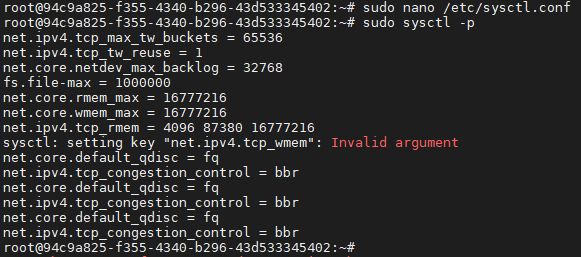
Please use a text editor to open the system configuration file sudo nano /etc/sysctl.conf, and paste the following enterprise-grade optimization parameters, which have been strictly verified in production environments, at the very end of the file:
Plaintext
net.ipv4.tcp_max_tw_buckets = 65536
net.ipv4.tcp_tw_reuse = 1
net.core.netdev_max_backlog = 32768
fs.file-max = 1000000
net.core.rmem_max = 16777216
net.core.wmem_max = 16777216
net.ipv4.tcp_rmem = 4096 87380 16777216
net.ipv4.tcp_wmem = 4096 65536 16777216
After pasting and saving the file, execute sudo sysctl -p in the terminal as well to force the new parameters to take effect immediately. Through this set of fine-grained network stack reshaping, your server's capacity to handle high-concurrency connections will be drastically improved, perfectly matching the strict requirements of high-availability website building and enterprise-grade cloud migration.
3. Choose a Matching Premium Product Solution
Deep optimization at the system level can help you squeeze out the last drop of potential from your server and network links. However, the decisive cornerstone of business speed and upper limits always depends on the bandwidth quality and link design of the underlying backbone network you connect to when initially purchasing your cloud server.
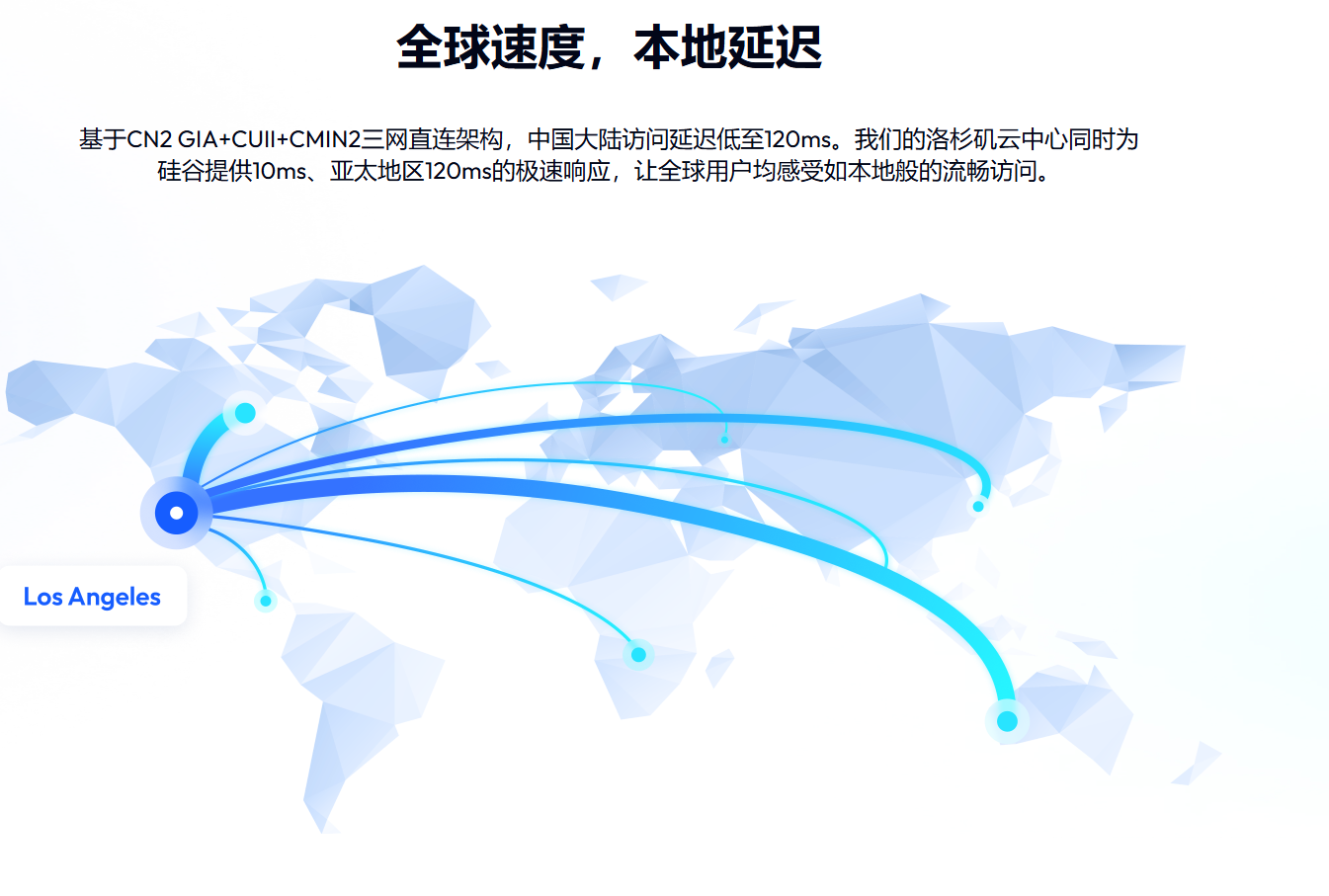
If you have a rigid demand for high-quality access to Mainland China, or are operating latency-sensitive businesses such as remote desktops and audio/video streaming, it is recommended to directly deploy VMRack's "Premium Triple-Network VPS (L3)" product. This product is equipped with a top-tier triple-network return-to-home golden routing line consisting of CN2 GIA, AS9929, and CMIN2.
Relying on the powerful infrastructure of the self-built Los Angeles data center, VMRack not only provides you with security and power guarantees that meet international standards but also thoughtfully offers two billing modes: data usage billing and fixed bandwidth. You can flexibly choose the most economical and efficient cost plan based on your diverse business traffic models, achieving a perfect balance between technical optimization and commercial benefits.
Conclusion
Through the activation of the BBR kernel algorithm and the tuning of TCP network parameters for GIA CN2 VPS in this article, your server has successfully opened up a golden interconnection channel from the kernel to the application layer. Network latency, packet loss resistance, and high-concurrency throughput performance have all been adjusted to their peak states. This will not only give your cross-border independent site or application a silky-smooth, instant-loading experience but also demonstrate extreme stability during public network congestion periods such as evening peaks. As an infrastructure service provider, VMRack will continue to provide you with a high-performance computing foundation to help your overseas business take off at full speed.


- Products
- VPS Hosting
- VPS HostingUnmetered
- Bare Metal
- GPU Rental
- CDNPublic Beta
- Custom CDN
- Object StoragePublic Beta
- TranscoderPublic Beta